
Zoom or Move Closer? Why Your Collectible Photos Look Different
Ever noticed that a figure's head, hands, or feet look unusually large when photographed up close? Learn how camera distance, optical zoom, and digital zoom affect the proportions of your collectible photos.
Why Do Figures Look Distorted Up Close?
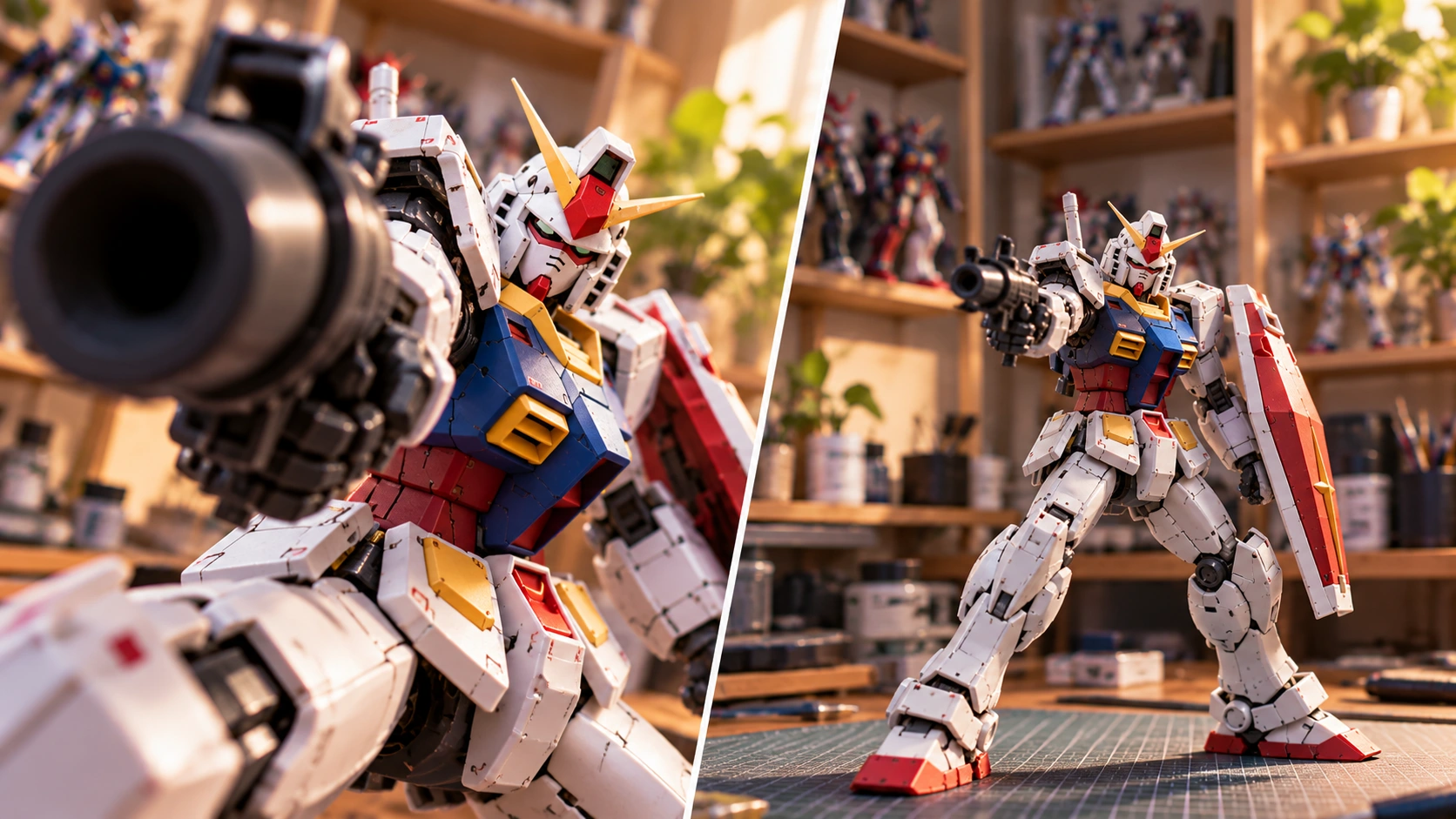
Have you ever photographed an action figure or model kit from a very short distance, only to find that its hands, head, or feet look much larger than expected? This happens because of perspective, which depends on the distance between the camera and the subject. When the camera is very close, parts nearer to the lens appear significantly larger than parts farther away. For example, an outstretched hand can look enormous compared with the figure's body. Move the camera farther back, and those relative differences become less noticeable. The figure's proportions may look more natural.
Zooming vs. Moving Closer: What's the Difference?
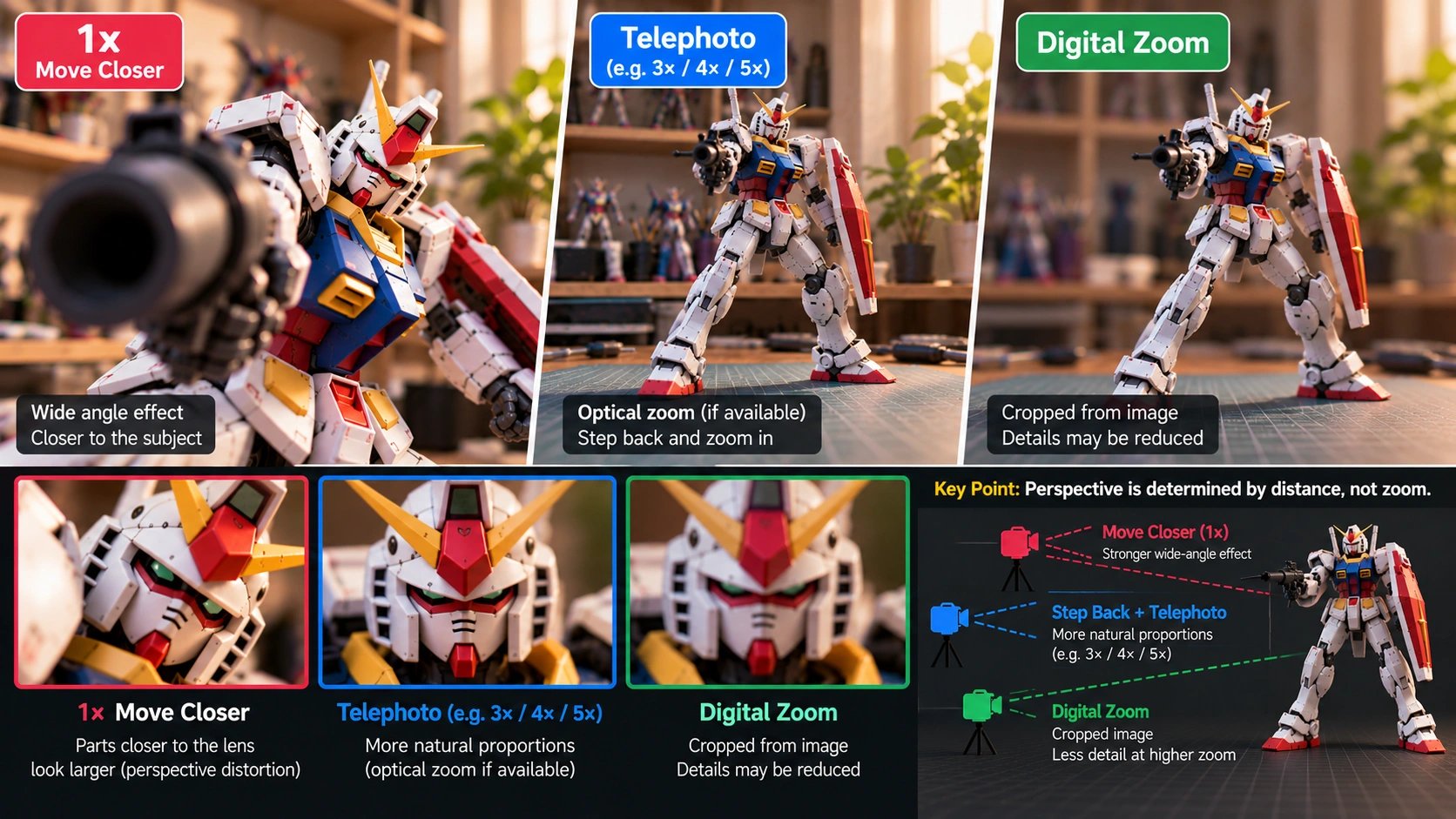
1. Moving the Camera Closer Getting closer works well for capturing small details, such as facial expressions, painted markings, or mechanical parts. However, moving too close can exaggerate perspective. Some smartphone lenses may also struggle to focus when the subject is closer than their minimum focusing distance. 2. Stepping Back and Using Optical Zoom If your smartphone has a telephoto camera, try stepping back and using its optical zoom, whether that's 3x, 4x, 5x, or another magnification depending on the model. You can keep the figure at roughly the same size in the frame while shooting from farther away. This often produces more natural-looking proportions. Keep in mind that smartphone zoom systems vary. In low light, some phones may switch to cropping the main camera's image instead of using the telephoto lens. 3. Using Digital Zoom Digital zoom enlarges or crops information captured by the camera sensor. As magnification increases, fine details may be lost. For sharper collectible photos, use an optical telephoto camera when available, or capture a high-resolution image and crop it afterward.
Try This Simple Comparison
Keep your figure in exactly the same position and take two photographs. Photo one: Use the 1x camera and move closer until the figure fills the frame. Photo two: Step back and use the telephoto camera until the figure appears approximately the same size. Compare the head, hands, feet, and background in both images. Even with similar framing, the change in camera distance can make the figure look noticeably different.
Which Method Should You Use?
Neither approach is always better. For natural-looking photographs that document a collection, stepping back and choosing an appropriate lens can help preserve realistic proportions. But if you're going for a dramatic pose, such as a robot punching toward the camera, shooting close with a wide-angle lens can create a powerful effect.